

How Does a Money Converter Work and Are the Rates Live (HTML version provided)

A money converter looks simple: enter 100, choose euros to pounds, and get an answer. Behind that small result is a short chain of checks, a daily exchange rate source, and one basic calculation.
The key point is this: most free web converters do not show live trading prices that move every second. They usually show daily reference rates, which are accurate for many everyday uses but not the same as a bank’s live dealing price.

The simple version (built in HTML)
A money converter works in one line:
It asks a public rate service for the exchange rate of the currency pair selected, then multiplies the amount by that rate.
For example, if the selected pair is EUR to USD and the rate is `1.1762`, then:
`100 EUR × 1.1762 = 117.62 USD`
That is all the visible result needs. The page also shows the date of the rate, because the date tells the reader whether the number is today’s reference rate, yesterday’s carried rate, or an older figure due to a weekend or bank holiday.
A Currency converter is useful for price display, invoices, reports, travel estimates, and general comparisons. It is less suitable for live foreign exchange trading, where a few seconds can change the final price. You can take it everywhere with you, for free.
What happens when the converter loads
When the page first opens, the converter needs to know which currencies it can offer. Rather than storing a fixed list by hand, it asks the Frankfurter service for the current supported list.
The page calls:
`api.frankfurter.dev/v2/currencies`
That call returns the currencies Frankfurter supports. The converter then uses that list to fill the two dropdown menus, usually labelled something like “From” and “To”.
This matters because currency support can change. A live list means the widget does not rely on an old hard-coded menu. If the source adds or changes supported currencies, the dropdowns can reflect that without editing the page by hand.
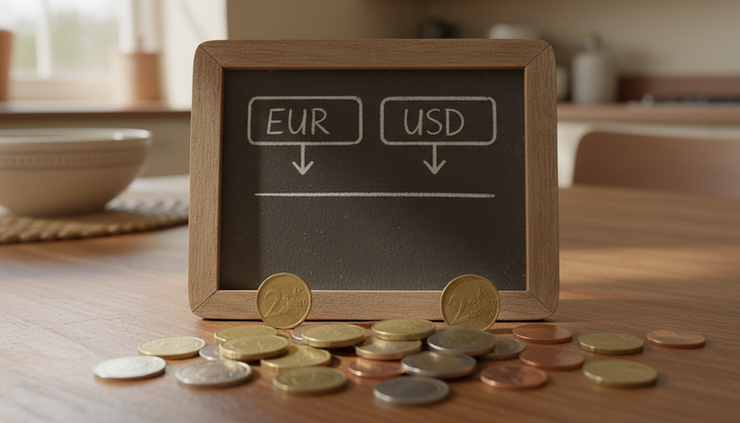
What happens when the amount or pair changes
Once someone chooses a pair, such as EUR to USD, the converter asks for that exact exchange rate.
The page calls:
`api.frankfurter.dev/v2/rate/FROM/TO`
So for euros to US dollars, the request follows the same pattern with the chosen currencies in place of `FROM` and `TO`.
The response is a small piece of structured text. It can look like this:
```json
{
"date": "2026-05-11",
"base": "EUR",
"quote": "USD",
"rate": 1.1762
}
```
For a beginner, there are only four parts to understand:
Field | Plain meaning |
`date` | The day the rate belongs to |
`base` | The currency being converted from |
`quote` | The currency being converted to |
`rate` | The number used for the multiplication |
The converter then multiplies the entered amount by `rate`, rounds the answer for display, and prints the result. It also shows “as of 11 May 2026” or similar wording, based on the date returned.
That “as of” label is not decoration. It is part of the accuracy of the result.
Why the converter caches rates for 10 minutes
If the same user converts EUR to USD several times in a few minutes, the rate is unlikely to need another request every time. To avoid asking for the same number again and again, the converter stores each pair’s rate in memory for 10 minutes.
That short-term storage is called a cache. In plain language, it means:
The first EUR to USD request asks Frankfurter for a rate.
The next EUR to USD request, within 10 minutes, reuses the saved rate.
A different pair, such as GBP to EUR, gets its own saved rate.
Pressing Refresh clears the saved rate for the current pair and asks again.
This makes the widget feel faster and reduces repeated calls to the public service. Since the rate source itself updates once per business day, a 10-minute cache does not usually reduce practical accuracy for everyday conversion.

Where the rates come from
The converter described here uses the Frankfurter API. An API is simply a way for one website or tool to ask another service for data in a predictable format.
Frankfurter is open-source and free to use, with no sign-up and no key required. According to its public documentation, it provides exchange rates based on daily reference rates from central banks. It blends rates published by 84 central banks, primarily the European Central Bank, and covers more than 200 currencies.
The European Central Bank publishes its reference rates at around 16:00 CET on working days. That timing has a clear effect on what visitors see:
There are no new reference rates at weekends.
There may be no new rate on bank holidays.
The number does not move minute by minute during the day.
The latest published rate carries forward until the next publication.
So if someone checks a converter on a Saturday, the rate may be Friday’s official reference rate. That can still be correct for display as long as the page shows the date.
Are the rates live?
No, not in the trading sense.
The rates are current daily reference rates, not live market prices. They do not include a bank’s buying and selling spread, and they do not update tick by tick during the day.
That distinction matters because “live” can mean different things. A visitor may read “current” and expect a rate moving every second. Frankfurter’s rates are current as reference data for the published day, but they are not real-time dealing rates.
For many uses, daily reference rates are the right fit:
Good fit | Poor fit |
Invoice estimates | Live currency trading |
Product price display | Same-minute money dealing |
Financial reports | Systems needing bid and ask prices |
General conversion | Cases where intraday movement changes the final payment |
For example, a shop showing estimated international prices can use a daily reference rate and clearly label the date. A trading platform, by contrast, needs paid real-time market data because the rate can change within seconds.
This content is for general information only and is not financial advice.

The takeaway
A money converter is a simple tool with one important condition attached. It gets a rate for the chosen currency pair, multiplies the amount by that rate, and shows the result with the date of the rate.
The source matters. Frankfurter provides free daily reference rates from central bank data, mainly the European Central Bank. Those rates are useful for invoices, reporting, price display, and general conversion. They are not live trading prices.
That is why a well-built converter should always show “as of [date]” and explain that the rate is a daily reference figure. Clear wording prevents confusion and helps visitors use the number correctly.
If you want to build this into a spreadsheet workflow, see the step-by-step guide to an Excel currency converter and FX dashboard. Or if you are interested into HTML version for your private usage, let me know.

Comments