

Power Query: Pretvaranje formata datuma (univerzalni format)

Dec 1, 2025
1 min read
Updated: Jul 13
Funkcija: Konvertuje različite formate datuma u GGGG-MM-DD ili bilo koji drugi format koji definirate. Definirate ga u kodu, on se izvršava!
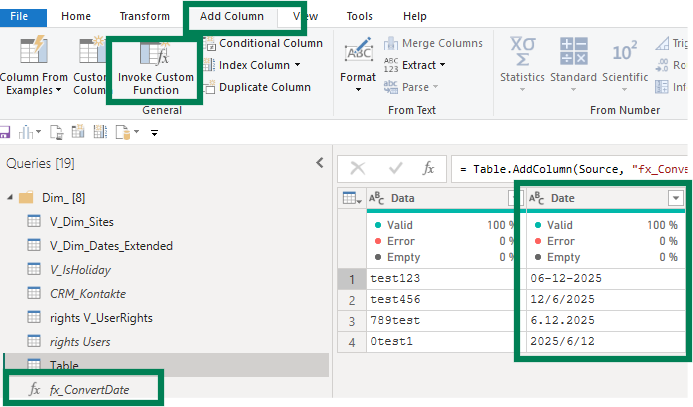
Upotreba:
= ConvertToISODate("03/13/2025") → Returns: "2025-03-13"Power Query kod za korištenje i ponovnu upotrebu:
let ConvertToISODate = (inputDate as any) as nullable text => let ConvertedDate = try Date.ToText(Date.From(inputDate), "yyyy-MM-dd") otherwise null in ConvertedDate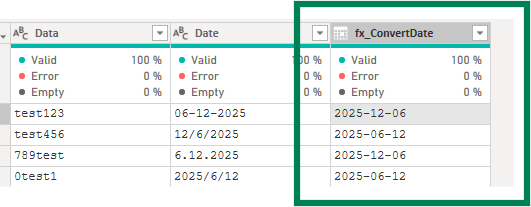
Trebate kod i upute? Besplatno =)
If you found this guide useful, explore the related posts below or download a free Power Query cheat sheet by subscribing to the Excelized newsletter.

👉 Ready to stop cleaning data manually? Book a live 1:1 Power Query Beginner Bootcamp and master it hands-on with me.